How JiJi messaging works
JiJi sends text messages only to people who have asked for them. Every recipient is a personally invited member of a private record’s circle, and messaging is off until they turn it on themselves.
WHO RECEIVES MESSAGES
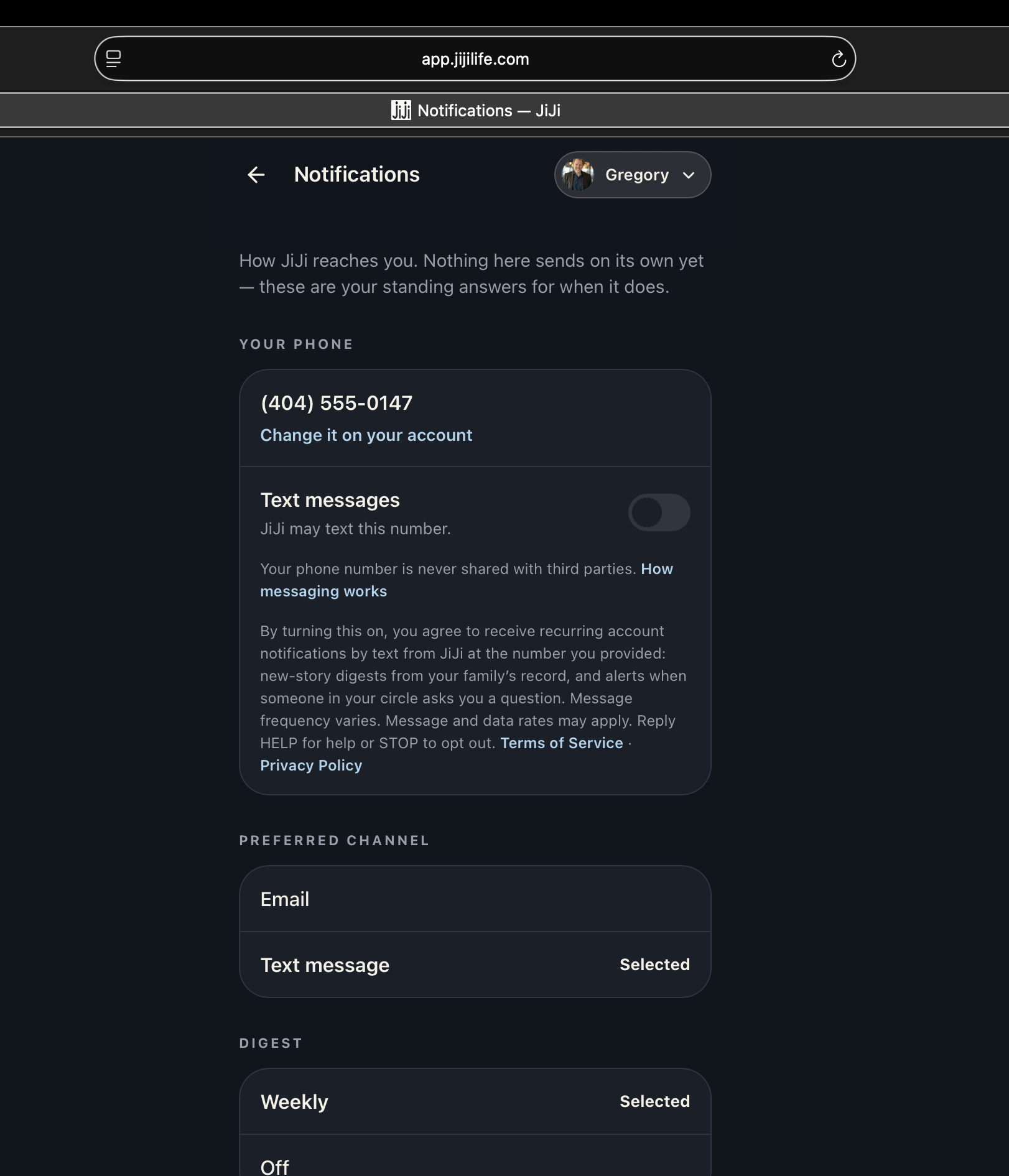
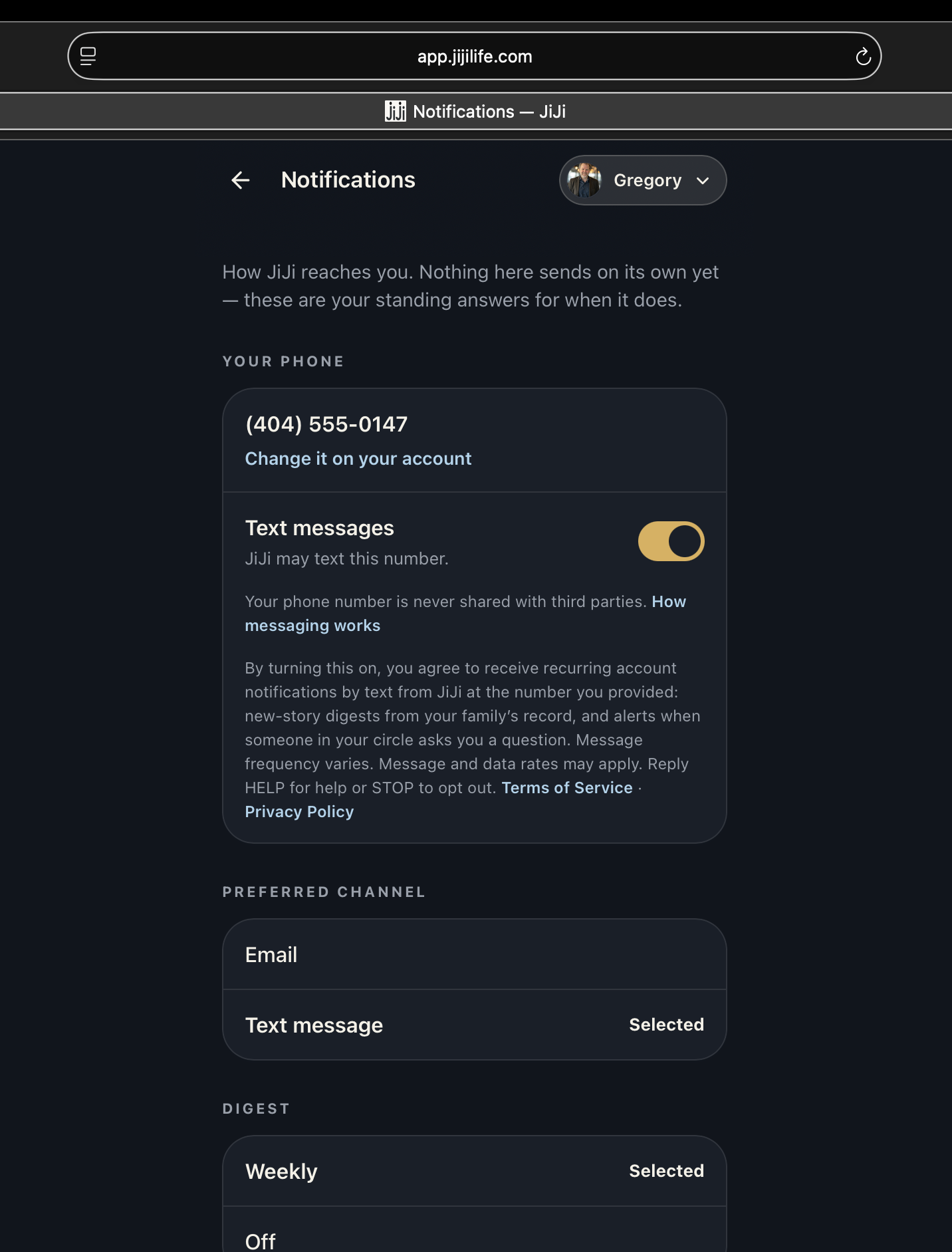
Only JiJi account holders who enable text messages in their own Notification settings. The toggle is off by default and requires a phone number the member adds themselves.
WHAT WE SEND
Occasional story digests from your own circle’s record, and reminders when someone in your circle asks you a question. Typically a few messages per month. Every message begins with “JiJi:”.
OUR NUMBER
JiJi texts from (844) 330-5454. Message and data rates may apply. Message frequency varies.
STOPPING AND HELP
Reply STOP at any time to end messages, or turn the toggle off in the app. Reply HELP or email hello@jijilife.com for assistance.
THE CONSENT MEMBERS GIVE
The opt-in screen states, verbatim: “By turning this on, you agree to receive recurring account notifications by text from JiJi at the number you provided: new-story digests from your family’s record, and alerts when someone in your circle asks you a question. Message frequency varies. Message and data rates may apply. Reply HELP for help or STOP to opt out.” Directly beside it are links to the Terms of Service and Privacy Policy. This language is shown before the toggle is turned on.
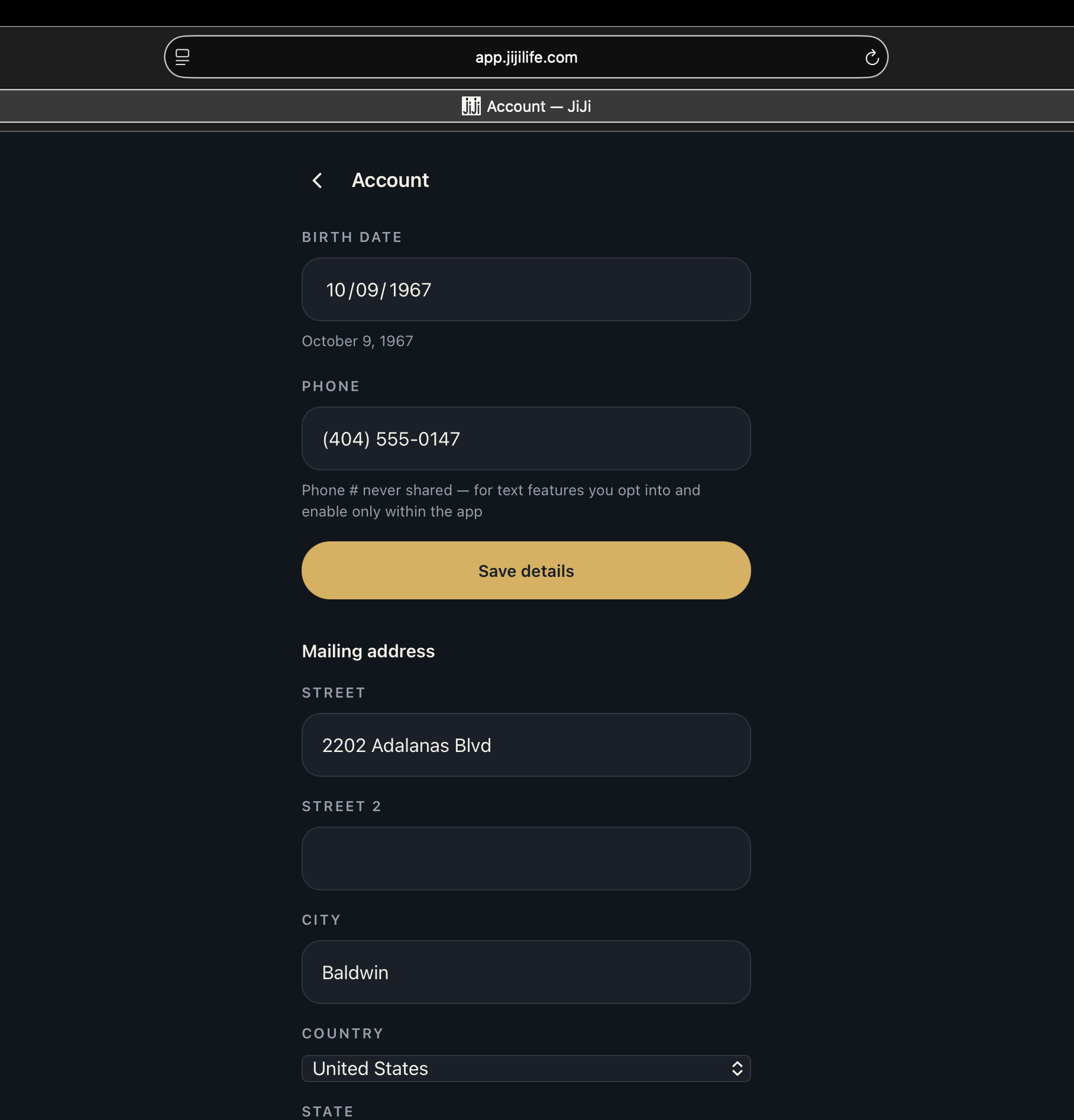
THE OPT-IN, STEP BY STEP
Opt-in happens inside the JiJi web app at app.jijilife.com, on the member’s own screens, after they sign in. The member enters their phone number on their Account screen, then turns on the Text messages toggle on their Notifications screen — that is the opt-in. Because those screens require a sign-in, the three images below show the complete flow exactly as a member sees it, captured in a browser with the address showing: